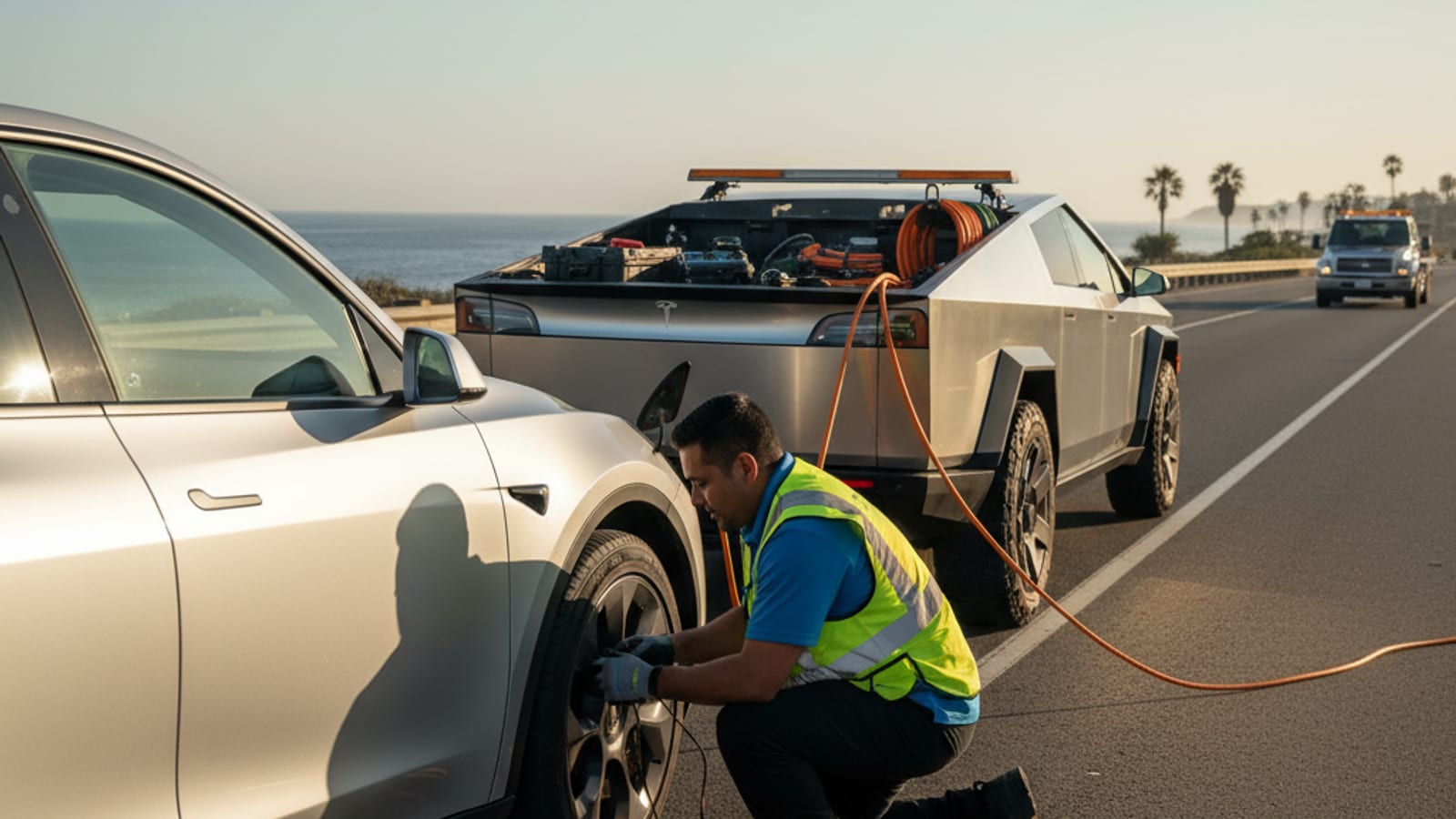
You walk up to your Tesla. Nothing. No lights, no response from the app, no door handles presenting. You are not just out of charge. You are locked out. This is not a low main battery issue. It is almost certainly your 12V auxiliary battery that has failed.
A dead 12V battery in a Tesla means the vehicle loses power to critical systems, including the door locks and frunk release. This guide explains how to regain access and get your Tesla moving again, especially here in the Puget Sound region.
Why a dead 12V battery locks you out of your Tesla
Every Tesla, despite its high-voltage battery for propulsion, also relies on a traditional 12V low-voltage battery. This 12V battery powers all the accessory systems. It runs the computers, infotainment screen, lights, windows, and the door handles and latches.
When the 12V battery dies, these systems lose power. The car becomes unresponsive to your usual commands. It will not wake up when you approach, the app will not connect, and the door handles will not present. You are effectively locked out. This can happen even if your main high-voltage battery has plenty of charge. The high-voltage battery recharges the 12V battery, but if the 12V itself is completely dead or faulty, it will not hold a charge.
Local context: Drivers who leave their Tesla in the SEA garage for a week or more often come back to a 12V that has dropped below the boot threshold. The garage’s 94 free Level 2 stalls are first-come, first-served, and a returning flyer without a reservation finds the car deader than expected. Cold-soak in unheated apartment lots in Bellevue, Kirkland, and Edmonds adds the same risk on a shorter timeline.
Initial steps: what to do when your Tesla is unresponsive
Finding your Tesla unresponsive can be frustrating. Here are the immediate steps to take.
- Do not panic. This is a common issue with a known solution.
- Check the Tesla app. Is it showing any status? Sometimes, if there is just enough residual power, the app might connect briefly. More often, it will not.
- Try the key card. Hold it against the B-pillar sensor. If the 12V is completely dead, this will not work, but it is always worth a try.
- For Model S and Model X owners, these models have a small mechanical key hidden inside the key fob. This key can manually open the driver’s door. Model 3 and Model Y do not have this feature.
The primary goal is to provide external power to the 12V system. This will energize the frunk latch, allowing you to open it and access the 12V battery itself.
Gaining access: powering the 12V system to open the frunk
The process for applying external 12V power differs slightly by Tesla model. Always consult your Tesla owner’s manual for specific instructions and diagrams for your model year. Working with electrical systems carries inherent risks.
Model 3 and Model Y
- Locate the tow eye cover. Look for a small, usually square or rectangular, cover on the front bumper. This is often on the passenger side.
- Remove the cover. Gently pry it off. You might need a small, non-marring tool or your fingers.
- Identify the jump start terminals. Inside, you will see two wires or terminals. These are the 12V jump start terminals. One will be positive, the other negative.
- Connect a 12V power source. Carefully connect a 12V power source (a small portable jump starter or another vehicle’s 12V battery using jumper cables) to these terminals. Connect positive to positive, negative to negative.
- Apply power. Hold the connection for 30 to 60 seconds. This should provide enough temporary power to engage the frunk latch. You might hear a small click or pop.
- Open the frunk. Once the frunk pops open slightly, disconnect the external power.
Model S and Model X
Newer Model S and Model X vehicles have similar 12V jump points, often located behind a small panel near the front grille or under the front bumper. Older Model S and Model X might have a manual frunk release cable accessible through the wheel well or under the bumper. This varies significantly by model year and trim. Always check your specific owner’s manual.
What you will need
You will need a 12V portable jump starter or another vehicle with jumper cables. If you are stuck on a busy I-5 shoulder near Shoreline or I-405 in Kirkland, attempting this yourself might not be safe. NHTSA safety guidelines emphasize caution when working on vehicles on the roadside.
What to do once the frunk is open
With the frunk open, you can now access the 12V battery itself. It is typically located under a cover in the frunk, and it looks like a standard car battery.
Jump-starting the 12V battery
- Locate the 12V battery. Remove any plastic covers concealing the 12V battery.
- Connect jump starter. Connect your portable jump starter or jumper cables from another vehicle directly to the 12V battery terminals. Ensure correct polarity.
- Charge the battery. Wait a few minutes for the 12V battery to get enough charge.
- Gain entry. Once the 12V system is sufficiently powered, you should hear a click, and the door handles might present. Use your key card to unlock and open the doors.
Caution: If the 12V battery is completely dead or faulty, a simple jump start may not be enough to hold a charge. The Tesla will likely require a new 12V battery. Ignoring a failing 12V can lead to repeated lockouts. Read more about diagnosing a dead 12V in our Tesla 12V failure guide.
Getting your Tesla ready to drive
Once you are inside, you need to assess the state of your main high-voltage battery.
- Check the main battery’s state of charge. If the main battery has sufficient charge, the car should power on normally after the 12V system is revived. The infotainment screen will display the state of charge.
- If the main battery is critically low or completely depleted, a simple 12V jump will not allow you to drive. You will need a charge for the main battery. This is where mobile EV charging becomes essential. You cannot just tow a dead EV to a charger without potentially damaging it. Your Tesla needs power delivered directly to it.
- Local charging landscape. The metro has thousands of public charging ports across King, Snohomish, and Pierce counties, but coverage is uneven. You might find yourself out of charge on the I-90 climb to North Bend, or in a charger-sparse area like Gold Bar or Sultan. A tow to the nearest Supercharger could be a long journey from these locations.
When to call for professional Tesla roadside rescue
Attempting to jump-start or troubleshoot an EV, especially when locked out, can be complex and risky if you are not familiar with the vehicle’s electrical systems.
- Safety first. If you are stranded on a busy freeway shoulder, attempting to work on your vehicle can be extremely risky. Distracted drivers are a major hazard on I-5 and I-405.
- Lack of equipment. You might not have a portable jump starter, the right tools, or the confidence to connect to the vehicle’s electrical system.
- Persistent issues. If the 12V battery does not hold a charge after a jump, it needs replacement. This requires specific tools and a new battery.
- Main battery also dead. If your high-voltage battery is completely depleted, you need a mobile charging solution, not just a jump start. Towing a fully depleted EV can cause damage.
Charge Pro SEA connects you with operators equipped with a 240V Level 2 source carrying both NACS and CCS adapters. Operators provide enough range to reach the nearest Supercharger or your destination.
For city-specific coverage, see our Tesla roadside rescue in Bellevue page, or check whether we are near you at our Seattle EV roadside hub.
If your Tesla is dead and locked out anywhere in the metro, call (206) 202-7018 to reach a local operator.