When a Chevy Bolt won’t charge, check the handle and the port, then the station or the home circuit, then the 12V, then stop DIY work. After that it’s no longer a driver’s job. The same order holds on a Bellevue curb or a Kirkland driveway.
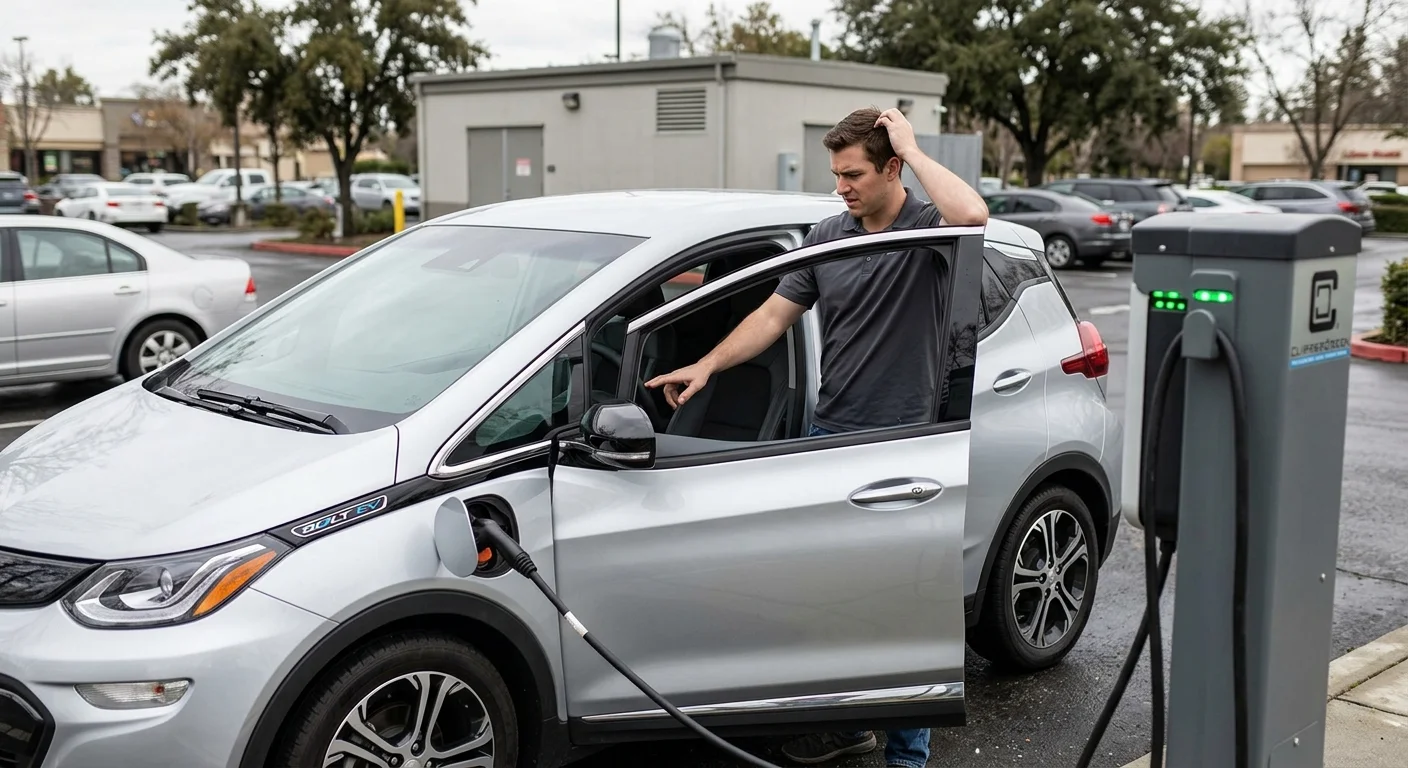
This guide walks through common issues and solutions when your Bolt will not charge. You will figure out whether the problem is the charger, the car, or the power source. Knowing these steps can often resolve minor glitches or at least help you understand when it is time to call for help.
Work through the charger, the car, and the power source
When your Bolt refuses to charge, the first step is to pinpoint the origin. Charging involves a three-way interaction: the equipment, your vehicle, and the electricity supply. A fault in any one of these can interrupt the process.
Start with the most obvious components. If you are at a public station, try a different port at the same site, or move to a different station if possible. Public chargers can sometimes be faulty or temporarily offline. If you are charging at home, ensure the cable is fully seated in both the wall outlet and your Bolt’s port. Wiggle it gently to confirm a secure connection. Also, check your home’s circuit breaker panel. A tripped breaker is a surprisingly common reason for charging interruptions. Sometimes a high-power appliance or an overloaded circuit can cause your charger’s circuit to trip. Resetting it might restore power.
If you have access to a different cable, try swapping it out. A damaged cable can be the culprit even when the damage is not immediately visible. For DC fast charging, ensure the charger itself looks operational and does not display error codes. Different levels (Level 1, Level 2, DC fast) use distinct protocols, so a failure on one type might not mean a failure on another.
What ‘Unable to Charge’ means on a Chevy Bolt
The “Unable to Charge” message on your Bolt’s dashboard is a general indicator that something is preventing a successful session. It does not always specify the exact problem, but it signals a communication breakdown or a safety protocol trigger. This message may be accompanied by specific diagnostic codes if you dig into the vehicle’s menus.
This generic error frequently points to a few core issues. One common cause is a communication error between the vehicle and the charging station. EVs and chargers constantly talk to each other, negotiating power levels and ensuring safety. If this handshake fails at any point, the car will refuse to charge. Power fluctuations or an unstable supply can also trigger this error. The Bolt’s onboard charging system is designed to protect its battery, so it will halt charging if it detects an inconsistent source.
Less common but still possible are internal vehicle issues such as a problem with the onboard charger, the battery management system, or a high-voltage battery fault. While “Unable to Charge” is often a minor hiccup that a simple reset can resolve, persistently seeing this message warrants a deeper look.
How to perform a soft reset on a Chevy Bolt
Before resorting to more complex diagnostics, a simple soft reset can often clear minor glitches. Power the car all the way down, then start it again.
To perform a soft reset of your Bolt’s charging system:
- Disconnect the charger. Safely remove the cable from your Bolt’s port. Make sure the session has ended.
- Turn off the vehicle. Press the power button to completely shut down your Bolt.
- Open and close the driver’s door. This action can help reset some of the vehicle’s internal modules.
- Wait until the systems have powered down fully. Lights and screens should go quiet before you restart.
- Restart the vehicle. Power your Bolt back on.
- Attempt to charge again. Reconnect the cable and see if the session initiates successfully.
This procedure is a safe first step. It often resolves issues stemming from temporary communication errors between the car and the charger, or minor software bugs within the Bolt’s charging management system. If the soft reset does not work, the problem is more complex, and other troubleshooting is needed.
Checking the 12V battery on a Chevy Bolt
It may seem counterintuitive for an electric vehicle, but a healthy 12V battery is essential for your Bolt to initiate charging. While the massive high-voltage battery powers the motor and stores the bulk of the energy, the smaller 12V auxiliary battery is responsible for running all the vehicle’s low-voltage electronics. This includes critical systems like the onboard computer, infotainment, sensors, door locks, and the relays and communication modules necessary to start the high-voltage charging process.
Symptoms of a failing 12V can be misleadingly similar to other EV problems. Your Bolt may not “wake up” when you try to start it, accessories might fail or act erratically, or the charging port will not acknowledge the charger, displaying that “Unable to Charge” message. Even if the main drive battery has plenty of range, a dead or weak 12V can effectively brick your car.
A 12V’s health is not something you can see. Testing it is a shop or roadside job. Replacing or jumping a 12V battery on a Bolt is specialized work. For more on 12V care, read the EV maintenance schedule.
What to do when your Chevy Bolt won’t charge in the metro
Finding yourself stranded with a Bolt that will not charge is stressful. Whether you are in downtown Bellevue, navigating I-405, or stuck in a neighborhood like Kirkland or Edmonds, the immediate priority is safety and a reliable solution. Slow down and take the next steps in order.
First, ensure your vehicle is in a safe location. If you are on a road or shoulder, activate your hazards. If possible, move to a safer, more visible spot. Your next move should be professional help. While a tow truck can get your car to a service center, it may not be the most efficient solution for an EV charging issue. Many times the problem is solvable on-site.
A Bolt that will not start a charge session can strand you. You may be on the shoulder or in a lot. We connect you with a licensed, independent local operator for non-Tesla EV rescue across the metro. You deal with that operator directly. A weak 12V is a common reason the port stays silent.
Frequently asked questions
Why won’t my Chevy Bolt charge?
Check the handle and the port first. Then check the station or the home circuit, then the 12V. Public stations fail, so try another port or another site. At home, seat the cable fully and check the breaker.
What does “Unable to Charge” mean on a Chevy Bolt?
Unable to Charge means the Bolt stopped the session. It’s a general message, not a specific diagnosis. It often means a failed handshake, or power the car will not accept. If it stays after a soft reset, stop DIY work.
Can a bad 12V battery stop a Bolt from charging?
Yes, a weak 12V can stop a Bolt from charging. The 12V runs the electronics that start a charge session. The port can stay silent even when the drive battery has range. Testing it is a shop or roadside job.
When should I stop troubleshooting and call someone?
Stop when the Bolt stays silent after the port, the power, and a soft reset. That’s no longer a driver’s job. Call (206) 202-7018 and we connect you with a licensed, independent local operator. You deal with that operator directly.
When to call for mobile EV rescue instead of a tow
Deciding between a traditional tow and mobile EV rescue can save time, money, and hassle. For many Bolt charging issues, especially when the car is not accepting a charge, mobile rescue is often the smarter choice.
A tow truck simply transports your vehicle from point A to point B. While necessary for severe mechanical failures or accidents, it does not offer diagnostics or on-site solutions for charging problems. Your Bolt might end up at a service center only to find the issue was a dead 12V or a charging port glitch that could have been fixed on the spot.
Call the EV roadside assistance line when those steps still leave the Bolt silent. We connect you with a licensed, independent local operator. You deal with that operator directly. Charge Pro SEA sets no price.
If you have tried the troubleshooting steps and your Chevy Bolt still will not charge, or if you are stranded and unsure what to do, call (206) 202-7018. We will connect you with a licensed, independent local operator. You deal with that operator directly. Charge Pro SEA sets no price.